How It Works

One Message.
Zara Handles the Rest.

Zara works through email or chat. Just tell her what you need in plain English,she understands context, handles coordination, and keeps you in control every step of the way.
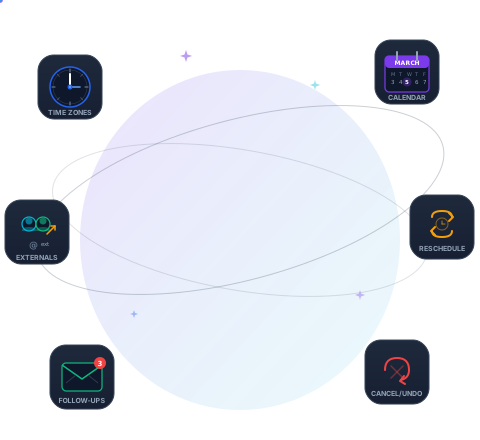

Zara juggling scheduling tasks
Zara AI
1

Tell Zara What You Need

Email or message Zara in natural language. No special syntax. No forms. No clicking through menus. Just say what you need the way you'd say it to a colleague.

Zara understands requests like:

  • "Schedule a 30-min meeting with Sarah about Q1 planning"
  • "Move my 2pm tomorrow to next week"
  • "Cancel the daily standup on Friday"
  • "Find a time for the whole team next week"
  • "Add James to tomorrow's product review"
To: zara@teamcalendar.ai
Subject: Meeting request
Schedule a 45-minute meeting with Sarah Chen, James Park, and the external advisor david@advisorco.com next Tuesday afternoon about the product roadmap review. Include a Zoom link.
2

Zara Handles Everything

Behind the scenes, Zara is doing the work that used to take you dozens of emails and hours of calendar checking.

Checks Calendars

Queries every internal attendee's calendar to find open slots

Emails Externals

Sends professional emails to people outside your org with available times

Handles Replies

Processes responses from external attendees and finds common times

Sends Follow-Ups

Automatic 3-tier reminders (24h, 48h, 72h) for unresponsive attendees

From: Zara (progress update)
Checking calendars for Sarah, James, and David...
✓ Found 3 available slots on Tuesday afternoon
Emailing David at david@advisorco.com with options...
✓ Heard back from David (1 of 1 external). Ready to book!
3

You Approve. It's Done.

Zara sends you a clean confirmation summary to review. Approve it, and the meeting is on everyone's calendar. Changed your mind? Undo within 15 minutes.

Preview mode: See what Zara will do before she does it

Auto-approve: Skip confirmations for routine scheduling

Undo: Reverse any action within 15 minutes
From: Zara (confirmation)
Meeting Booked ✓
Title: Product Roadmap Review
Date: Tuesday, Mar 18 at 2:00 PM PST
Duration: 45 minutes
Attendees: Sarah Chen, James Park, David Miller
Location: Zoom (link included)
All attendees have been notified. Reply "undo" within 15 min to reverse.
Capabilities

Everything Zara Can Do

15+ scheduling capabilities, all accessible through plain English.

Schedule Meetings

Book meetings with internal and external attendees. Zara checks calendars, emails externals, and finds the best time.

Reschedule Meetings

Move meetings to a new time. Zara re-coordinates with all attendees,even when you're not the organizer.

Cancel Meetings

Cancel with confirmation. Zara removes the event and notifies all attendees. Undo available for 15 minutes.

Update Meetings

Change title, location, description, duration, or attendees without recreating the event.

Find Available Time

Find open slots across multiple calendars. See options or let Zara book directly.

Show Your Schedule

Ask Zara "What's on my calendar tomorrow?" for a clean summary of upcoming events.

Batch 1:1 Scheduling

Schedule individual meetings with multiple people in one request. Ideal for weekly 1:1s.

Preview / Dry Run

Prefix any request with "preview" to see what Zara would do,without taking action.

Undo Actions

Say "undo" to reverse any scheduling action within 15 minutes. Events restored, attendees notified.

FAQ

Frequently Asked Questions

Zara connects to your Google Calendar or Microsoft Outlook through secure OAuth authentication. She can read your availability and create/modify events on your behalf,with your explicit permission at every step.
Yes! This is one of Zara's most powerful features. She emails external attendees directly with your available times, processes their replies, finds common times, and sends automatic follow-ups if they don't respond. The entire back-and-forth is handled for you.
Just say "undo" within 15 minutes and Zara will reverse the action,removing the calendar event, notifying attendees, and restoring everything to its previous state. You can also reschedule or cancel at any time.
Yes. Zara integrates with both Google Calendar and Microsoft Outlook/Office 365. She can coordinate meetings across different calendar platforms seamlessly.
Preview mode lets you see exactly what Zara would do without actually doing it. Start any request with "preview:" or "what if" and Zara will walk through the entire flow,finding times, showing what emails would be sent,without taking any action. Perfect for when you want to check before committing.
Zara is fully timezone-aware. She knows each attendee's timezone from their calendar settings and automatically converts times when communicating. You always see times in your timezone; external attendees see times in theirs.
Absolutely. Zara uses enterprise-grade encryption and OAuth 2.0 for calendar access. We never store your calendar data permanently,it's only accessed in real-time when processing your requests. See our Security page for details.

Ready to Meet Zara?

Experience scheduling that just works. Try Zara with your team today.

See Zara in Action