Multi-Team Collaboration
Cross-Company Scheduling at the Speed of AI
Coordinating meetings across teams, companies, and time zones wastes 40+ hours per week. TEAMCAL AI eliminates the back-and-forth with AI-powered multi-team scheduling that finds the right time for everyone — in 49 seconds.
The Multi-Team Scheduling Problem
Modern work does not happen inside a single team. Enterprise projects routinely involve 4-8 stakeholders across 3+ companies and 5+ time zones. A product launch requires engineering, marketing, sales, and external agency teams to align. An enterprise deal needs buyers, sellers, legal, and procurement on the same call.
Yet scheduling tools were built for a simpler era — one person shares a link, the other picks a time. That works for a sales call. It fails spectacularly when you need to coordinate across organizational boundaries.
The cost of broken multi-team scheduling:
- 8+ hours per week per team spent on calendar coordination across companies
- 3-5 day delays on average for each multi-party meeting due to email back-and-forth
- Revenue leakage from enterprise deals stalled by scheduling logistics
- Employee frustration from the repetitive, low-value work of coordinating calendars manually
The problem is not that people lack calendars. The problem is that no one person can see everyone's availability across companies — and no booking link solves a multi-dimensional coordination challenge. This is the gap TEAMCAL AI was built to close.
Cross-Company Scheduling with TEAMCAL AI
TEAMCAL AI is an all-in-one team scheduling platform designed to streamline meeting coordination across time zones with teams, vendors, clients, third parties, and customers — all in seconds. Available as a web application and iOS app, TEAMCAL AI seamlessly integrates with your favorite tools like Zoom, Outlook, Gmail, Slack, and more.
TEAMCAL AI facilitates M x N x O meetings. Imagine scheduling between M companies, N stakeholders, and O number of meetings — in seconds. In a real-world example, TEAMCAL AI schedules meetings with 8 stakeholders across 4 companies (BMW, Bridgestone, Mahle, and GKN Drivelines) in seconds. You can create this team and schedule all subsequent follow-up meetings with the same convenience.
Four components make this possible:
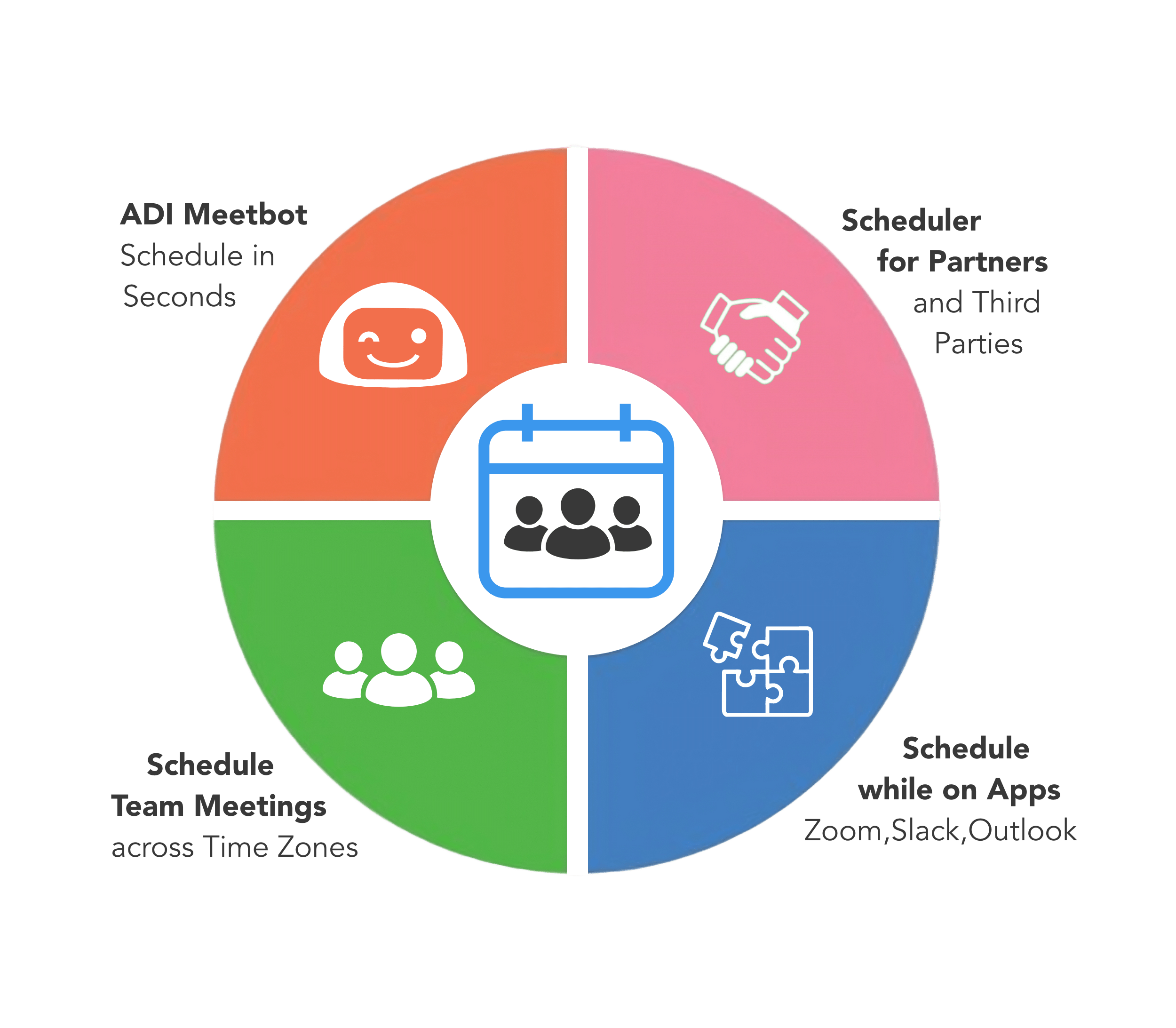
- ZARA (Zero-friction AI Scheduling and Routing Agent) AI, the TEAMCAL AI-Powered Scheduling Assistant — reduces meeting scheduling time by 95%, saving 40 hours per week for the team
- Cross-Company Group Scheduling — meet with clients, customers, and vendors without the back-and-forth
- Cross-Timezone Team Coordination — schedule teams across time zones and locations automatically
- In-App Integrations — schedule directly from Zoom, Webex, Slack, Gmail, and Outlook
Learn how TEAMCAL AI Works.
Multi-Team Scheduling by the Numbers
Reduction in scheduling time across teams and companies
Average time to coordinate a multi-party meeting with Zara AI
Freed per week per team — redirected to strategic work
Countries where teams use TEAMCAL AI for cross-company scheduling
“It's like having a personal scheduling assistant that simplifies meeting coordination and eliminates the need for back-and-forth communication.”
Why Teams Choose TEAMCAL AI for Multi-Team Collaboration
AI-Powered Multi-Party Coordination
Zara AI coordinates meetings across teams, companies, and time zones autonomously — handling the back-and-forth, resolving conflicts, and booking meetings in 49 seconds.
Cross-Company Private Groups
Create dedicated scheduling spaces for client relationships, vendor partnerships, or multi-company projects. See team availability without sharing calendar details.
Intelligent Timezone Optimization
TEAMCAL AI automatically accounts for time differences between team members across 90+ countries and presents only the slots that work for everyone's business hours.
Built Into Your Workflow
Schedule from Zoom, Slack, Microsoft Teams, Gmail, or Outlook. No context switching — multi-team scheduling happens where you already work.
Stop Wasting Time on Multi-Team Scheduling
See how TEAMCAL AI coordinates meetings across teams, companies, and time zones in 49 seconds — something no booking link or shared calendar can do.
Request a DemoZara AI — Your Multi-Team Scheduling Assistant
Meet Zara AI, the scheduling assistant that reduces multi-team coordination time by 95%. Zara is not a booking link — she is an AI agent that actively coordinates meetings across organizational boundaries.
How Zara handles multi-team scheduling:
- Natural language requests — "Schedule a project sync with the BMW and Bridgestone teams next week, avoid Friday afternoons" and Zara executes end-to-end
- Autonomous external coordination — Zara emails participants outside your organization, handles their responses, and proposes alternatives if they decline
- Batch scheduling — "Schedule all stakeholder check-ins for next sprint" and Zara plans the entire series in one request
- Conflict resolution — When calendars clash across companies, Zara automatically finds alternative windows that respect everyone's constraints
- Preview and approve — See exactly what Zara will schedule before she commits. Undo any action within 15 minutes
For executive assistants managing complex stakeholder calendars, Zara transforms a 20-minute scheduling task into a 49-second interaction. The assistant shifts from calendar logistics to strategic deal support.
1-Click Team Meeting Links
Share your team's collective availability with a single link. Create a unique team meeting link and share it with clients, channel partners, vendors, and contractors. No need to go back and forth between internal and external stakeholders.
What this solves: Eliminates the endless email chains of "Does Tuesday at 3pm work for everyone?" when coordinating with external partners. Your team's collective availability is instantly visible through one shareable link, cutting scheduling time from hours to seconds.
Three types of 1-Click scheduling:
- Team Meeting Links — Share your team's combined availability. Clients see when everyone is free and book in one click
- Client Meeting Links — Share your availability without exposing your calendar. Manage the meeting link for your whole team while maintaining professional boundaries
- 1-Click Team Meetings — Forget the colorful calendar grid. Create a team once and click the Meet icon to instantly see available time slots for every member — turning a 20-minute scheduling task into a 5-second action
For enterprise sales teams managing 200+ external meetings per month, 1-Click Team Meeting Links eliminate the scheduling bottleneck that delays deals and frustrates prospects.
Cross-Timezone Coordination Made Automatic
Half the sales team in Utah, QA in Romania, engineering in Singapore, and a client in Tokyo? TEAMCAL AI takes into account the time differences between every team member and presents only the available times that work across all time zones.
What this solves: Prevents the embarrassment of scheduling a 6am meeting for your London colleagues or a midnight call for your Singapore team. The system automatically converts time zones and only suggests slots that work for everyone's business hours — no more mental math or accidentally disrupting someone's evening.
How cross-timezone intelligence works:
- Focused timezone view — Visual interface showing team members across all time zones with intelligent meeting window optimization
- Business hours enforcement — Zara respects working hours preferences for each participant, regardless of location
- Overlap detection — Instantly highlights the windows where all participants are available during reasonable hours
- 90+ countries supported — From daylight saving transitions to half-hour offset zones, TEAMCAL AI handles the edge cases automatically
For global organizations coordinating across 5+ time zones daily, automatic timezone optimization saves an estimated 6-8 hours per week of manual calendar arithmetic.
Schedule Follow-Ups During Zoom Calls
Find free time for all your attendees and schedule follow-up meetings in seconds — all while on a Zoom call. The TEAMCAL AI Zoom App displays your scheduled meetings for the day, lets you view meeting details, and check the free time of all meeting attendees for the upcoming week.
What this solves: Eliminates the awkward "Let me check my calendar and get back to you" moment at the end of meetings. Instead of losing momentum switching between Zoom and your calendar, you can instantly see everyone's availability and lock in follow-ups before the call ends — keeping deals and projects moving forward without delays.
Why this matters for multi-team collaboration:
- Maintain meeting momentum — Book the next touchpoint while context is fresh and all stakeholders are present
- Reduce follow-up lag — Enterprise deals lose days when the next meeting requires another round of scheduling coordination
- Cross-company visibility — See availability for external participants directly from the Zoom interface, even if they are not in your organization's calendar system
- One-click booking — Select a time, confirm, and the invite goes to everyone — no separate scheduling workflow needed
Sales teams report that scheduling follow-ups during the call shortens deal cycles by 5-11 days on average, simply by removing the scheduling lag between touchpoints.
Works with Slack, Teams, and Your Favorite Apps
TEAMCAL AI is built directly into your workflow. Schedule meetings without leaving the apps your team already uses — Slack, Microsoft Teams, Zoom, Gmail, and Outlook.
Scheduling from Slack:
Meet Zara, your AI-powered scheduling assistant that saves 95% of your team's scheduling time. Schedule meetings in seconds by simply texting or speaking — no more managing calendars manually. Use simple commands like "Set up meeting with @Raj and john@acme.com for Demo" or "Find time with #engineering" directly from your Slack chat.
What this solves: Stops the productivity drain of constantly switching between Slack and your calendar app. Your team stays in their natural workflow, scheduling meetings through simple text commands without breaking conversation flow. Zara handles all the calendar coordination, timezone calculations, and invite sending automatically — transforming what used to take 10 minutes and multiple tab switches into a 10-second Slack message.
Full integration ecosystem:
- Slack — Schedule via natural language commands directly in channels or DMs
- Microsoft Teams — Book meetings without leaving your Teams workspace
- Zoom — Schedule follow-ups during calls with the TEAMCAL AI Zoom App
- Gmail — Coordinate meetings from your inbox
- Outlook — Full calendar sync with Microsoft Outlook and Office 365
- Webex — Video conferencing integration for enterprise teams
Ready for the Gig Economy
Are contractors, channel partners, and consultants not in the company calendar? No problem. Just add them to a team in TEAMCAL AI and you can still find the available time for everyone — regardless of whether they use Google Calendar, Outlook, or any other system.
What this solves: Fixes the "outside contractor" blind spot where you cannot see freelancers' or partners' availability because they are not in your company calendar system. Now schedule seamlessly across organizational boundaries without forcing external collaborators to adopt your internal tools or expose their full calendars.
Why this matters in 2026:
- 43% of the US workforce now includes freelancers, contractors, or gig workers (McKinsey, 2025)
- Cross-company teams are the norm — agencies, consultants, and outsourced teams are part of every enterprise project
- Calendar fragmentation is increasing — external collaborators use different platforms, making visibility impossible without a unifying layer
- TEAMCAL AI bridges the gap — one scheduling platform that works across Google, Microsoft, and Apple calendars, connecting internal teams with external partners effortlessly
For organizations managing 10+ external contractors or agency relationships, TEAMCAL AI eliminates an estimated 15-20 hours per month of cross-company scheduling overhead.
Frequently Asked Questions
Multi-team collaboration scheduling is the process of coordinating meetings across multiple teams, departments, or companies. Unlike simple one-on-one scheduling, it involves finding times that work for 4-8+ stakeholders across different organizations, calendars, and time zones. TEAMCAL AI automates this with AI-powered coordination that handles the complexity in 49 seconds.
TEAMCAL AI creates private scheduling groups that span organizational boundaries. You can add team members from different companies, and the platform shows collective availability without exposing individual calendar details. Zara AI then coordinates the meeting — emailing external participants, handling responses, and resolving conflicts autonomously.
Yes. TEAMCAL AI is purpose-built for cross-company scheduling. You can add external participants — contractors, clients, vendors, agency partners — to teams and find available time for everyone, even if they use different calendar systems. There is no requirement for external participants to have a TEAMCAL AI account.
TEAMCAL AI automatically detects each participant's time zone and only suggests meeting windows that fall within everyone's business hours. The focused timezone view provides a visual interface showing all team members across time zones, with intelligent overlap detection. It supports 90+ countries including daylight saving transitions and half-hour offset zones.
TEAMCAL AI integrates with Slack, Microsoft Teams, Zoom, Gmail, Outlook, and Webex. You can schedule meetings directly from these apps using natural language commands. The Zoom App allows scheduling follow-ups during calls. Calendar sync works across Google Calendar, Microsoft Outlook, and Office 365.
TEAMCAL AI reduces scheduling time by 95%, with an average coordination time of 49 seconds per meeting. For a team of 10 managing 200+ meetings per month across organizations, this translates to approximately 40 hours per week freed from scheduling coordination — time redirected to strategic, revenue-generating work. Use our ROI calculator to model your specific savings.
Download The TEAMCAL AI ROI Calculator
See exactly how much AI scheduling can save your organization.
The TEAMCAL AI ROI Calculator
Calculate how much time and money your team can save with AI-powered scheduling. See your projected annual savings, hours freed, and payback period.