How TEAMCAL AI Works
AI Team Scheduling in 3 Simple Steps
TEAMCAL AI is the world's first Agentic AI Team Scheduling Software. Connect your calendar, meet ZARA (Zero-friction AI Scheduling and Routing Agent) AI, and schedule meetings across teams, companies, and time zones in 49 seconds. Used by 1,000+ customers in 90+ countries.
The Scheduling Problem TEAMCAL AI Solves
Scheduling meetings should be simple. In reality, coordinating across decentralized teams and external stakeholders is one of the most time-consuming, low-value tasks in the modern workplace. The problems are universal:
- Manual scheduling is cumbersome and time-consuming — teams spend 8+ hours per week navigating calendars, copying availability, and juggling time slots across tools that were never designed for multi-party coordination
- Scheduling with clients and third parties involves constant back-and-forth — enterprise meetings with 4-6 stakeholders across multiple companies generate email chains that take 3-5 days to resolve
- Cross-timezone scheduling is chaotic — when your team spans New York, London, and Singapore, finding a window that respects everyone's working hours requires manual calendar arithmetic that no one enjoys
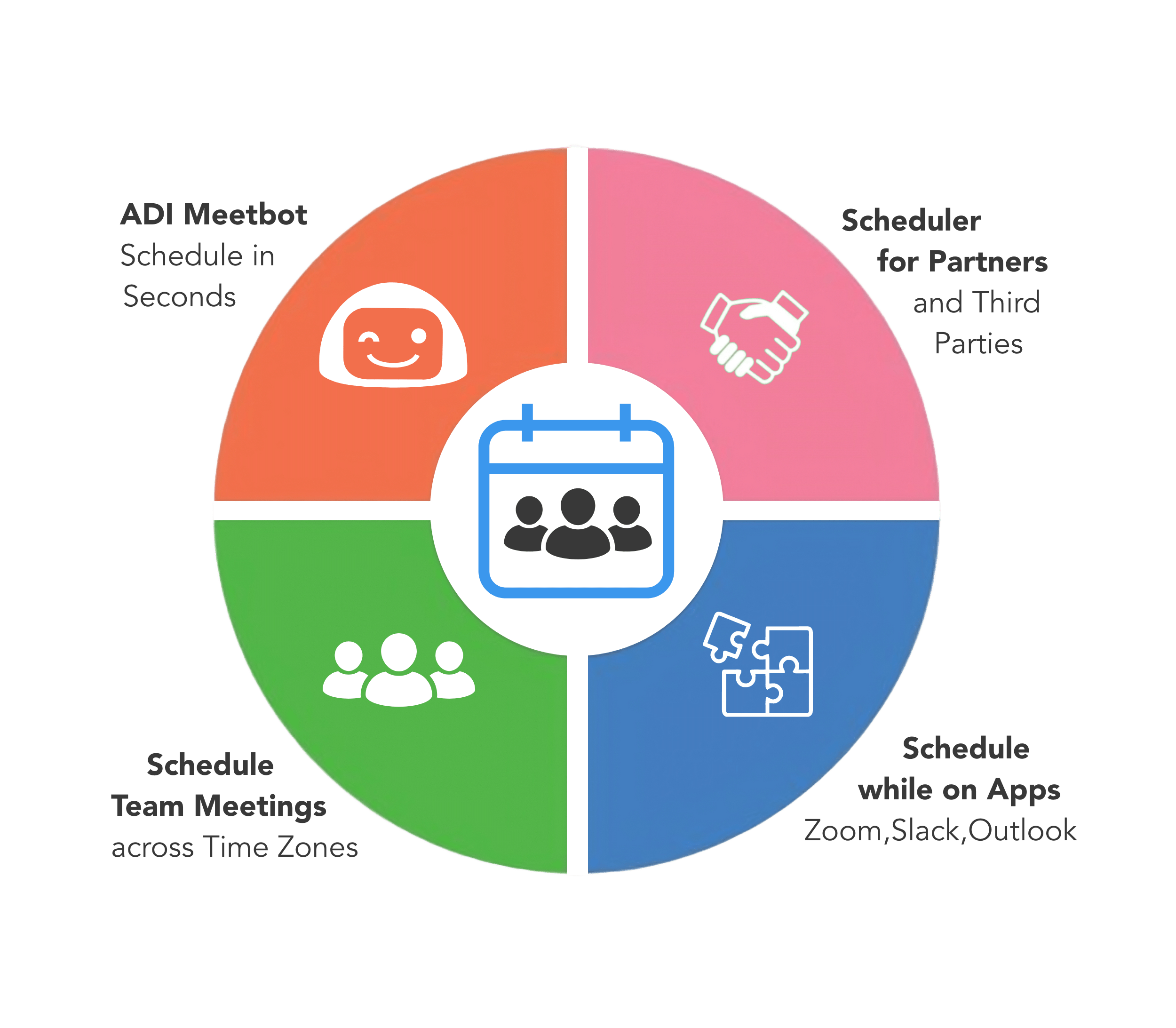
- Everyday apps lack scheduling intelligence — Zoom, Slack, Microsoft Teams, and Outlook are where work happens, but none of them can coordinate meetings across teams and companies
The result: 40+ hours per week wasted on scheduling logistics that could be handled by an AI agent in seconds. Booking links solve one-on-one meetings. But when you need to coordinate across organizational boundaries, you need something fundamentally different. That is why TEAMCAL AI exists.
Get Your Team Scheduling with AI
TEAMCAL AI replaces the manual back-and-forth with an AI-powered scheduling platform that coordinates meetings across teams, companies, and time zones — autonomously. Get your team scheduling in 3 steps:
- Connect Calendar & Team — Link your Google Calendar, Outlook, or Office 365 directory. TEAMCAL AI syncs in real time. No calendar data is stored. Setup takes under a minute.
- Create Your Team — Add members across time zones and companies. TEAMCAL AI instantly shows collective availability for your entire team — whether they are in NYC, London, or Tokyo. See availability for everyone in real time. Share your team link with external guests. Pick a slot and the meeting is set: invites sent, calendars updated, Zoom/Teams link added.
- Scheduling at the Speed of AI — Let Zara AI handle the back-and-forth. Just tell her what you need. Type or speak naturally: "Schedule a demo with team" — and you are done. Meeting set. Zara finds the best time, sends invites, and adds the meeting to all calendars. Average time: 49 seconds.
Available as a web application, iOS app, and integrated directly into Zoom, Outlook, Gmail, Slack, Microsoft Teams, Webex, and Chrome. TEAMCAL AI is an all-in-one team scheduling platform with 8+ components designed to eliminate scheduling overhead entirely.
TEAMCAL AI by the Numbers
Reduction in scheduling time with Zara AI
Average time to coordinate and book a meeting
Freed per week per team — redirected to strategic work
Countries where teams rely on TEAMCAL AI daily
“It's like having a personal scheduling assistant that simplifies meeting coordination and eliminates the need for back-and-forth communication.”
Why Teams Choose TEAMCAL AI
Zara AI Assistant
Schedule meetings by typing or speaking in natural language. Zara coordinates across teams, companies, and time zones — booking meetings in 49 seconds.
Cross-Timezone Intelligence
Automatically finds meeting windows that respect every participant's working hours across 90+ countries, including DST transitions.
Multi-Team Scheduling
Coordinate M companies, N stakeholders, and O meetings — in seconds. Free partner accounts for external stakeholders.
Deep Integrations
Schedule from Zoom, Slack, Microsoft Teams, Outlook, Gmail, Webex, and Chrome — without context switching.
See TEAMCAL AI in Action
Watch Zara schedule a cross-timezone, multi-company meeting in 49 seconds — something no booking link or shared calendar can do.
Request a DemoStep 1: Connect Your Calendar
Getting started with TEAMCAL AI takes under a minute. Connect your Google Calendar, Microsoft Outlook, or Office 365 account using secure OAuth 2.0 authentication — no passwords shared, no calendar data stored.
What happens when you connect:
- Real-time sync — TEAMCAL AI reads your availability dynamically. When you add or change a meeting in your calendar, TEAMCAL AI reflects it instantly
- No data storage — Your calendar data is never stored on TEAMCAL AI servers. It is retrieved on demand and discarded after use. This is a core architectural principle, not a feature toggle
- Multiple calendars — Connect personal and work calendars. TEAMCAL AI checks all of them when finding available time, so you never get double-booked
- Team onboarding — Invite your team members to connect their calendars. Once connected, TEAMCAL AI can see collective availability across your entire team
The setup is intentionally simple: sign up, authorize your calendar, and you are ready to schedule. No IT department required. No configuration wizards. No training sessions. The platform works from the moment you connect.
Step 2: Meet Zara, Your AI Scheduling Assistant
Zara AI is the heart of TEAMCAL AI. She is not a booking link or a workflow automation tool — she is an AI agent that actively coordinates meetings on your behalf, handling the entire scheduling lifecycle from request to confirmation.
How to use Zara:
Simply type or speak what you need in natural language. Zara understands context, constraints, and preferences:
- "Schedule a meeting with Raj and john@acme.com for Demo" — Zara checks everyone's availability, finds the best time, and books it
- "Find time with #engineering next week, avoid Friday afternoons" — Zara respects team-level and individual preferences
- "Move my 5pm to 7pm" — Zara reschedules and notifies all attendees automatically
- "Cancel my meeting with Xavier" — Zara handles cancellation and attendee notifications
- "Schedule all my 1:1s for next week" — Batch scheduling in a single request
Where Zara is available:
- Web app — Chat with Zara directly in the TEAMCAL AI dashboard
- iOS app — Schedule on the go from your iPhone or iPad
- Slack — Use the ADI bot to schedule from any Slack channel or DM
- Microsoft Teams — Schedule without leaving your Teams workspace
Choose your Digital Assistant: Zara is the default, but TEAMCAL AI offers 12 unique AI-powered Digital Assistants — each with its own personality and voice. Choose the one that matches your workflow: Zara (Bold, Energetic), Tess (Dependable, Calm), Mia (Adaptable, Curious), Luna (Intuitive, Empathetic), Ray (Charismatic, Organized), Max (Detail-Oriented, Efficient), Ben (Diplomatic, Team-Oriented), Kai (Resourceful, Loyal), Nova (Independent, Optimistic), Finn (Disciplined, Ambitious), Vayu (Innovative, Fast), or Theo (Compassionate, Creative).
Step 3: Schedule Meetings in Seconds
Once you tell Zara what you need, she takes over. The entire coordination — from checking calendars to sending invites — happens in an average of 49 seconds.
What Zara does behind the scenes:
- Scans all participants' calendars — across Outlook, Google Calendar, and Teams, including external stakeholders
- Accounts for time zones — respects working hours for every participant, whether they are in New York, London, Singapore, or Tokyo
- Resolves conflicts — when calendars clash, Zara finds alternative windows that work for everyone
- Reaches out to external participants — Zara emails people outside your organization, handles their responses, and proposes alternatives if they decline
- Books and confirms — sends calendar invites, adds video conferencing links (Zoom, Webex, Teams), and confirms with all parties
- Handles follow-ups — automated reminders and rescheduling if circumstances change
Preview and approve: For high-stakes meetings, Zara shows you exactly what she will schedule before committing. You can preview, adjust, and approve. For routine meetings, enable auto-approve and let Zara handle everything autonomously. Every action can be undone within 15 minutes.
The result: what used to take 8+ hours per week of calendar coordination now happens automatically, freeing your team to focus on the work that actually matters.
The 8 Components of TEAMCAL AI
TEAMCAL AI is not a single tool — it is a comprehensive scheduling platform with 8 interconnected components, each solving a specific piece of the scheduling puzzle:
1. Zara AI — The Digital Scheduling Assistant
The AI engine behind TEAMCAL AI. Powered by ADI (Augmented Decision Intelligence), Zara uses NLP and LLM technology to understand natural language scheduling requests and execute them autonomously. Learn more about Zara AI.
2. Third-Party Scheduling
A group scheduling tool that allows you to meet with clients, customers, and vendors without the back-and-forth. Create cross-company teams and schedule meetings with stakeholders from any organization.
3. Cross-Timezone Team Coordination
A focused timezone view that shows team members across all time zones with intelligent meeting window optimization. Supports 90+ countries, daylight saving transitions, and half-hour offset zones. Learn about the timezone problem.
4. Seamless Integrations
Schedule directly from Zoom, Slack, Microsoft Teams, Outlook, Gmail, Webex, and Chrome. No context switching — scheduling happens where you already work. See all integrations.
5. Meeting Links
Create custom-branded individual and team meeting links. Share via URL, embed on your website, or generate QR codes. Clients see when your team is free and book in one click.
6. iOS Mobile App
Access TEAMCAL AI on the go. Schedule team meetings, find time with your team, and chat with Zara — all from your iPhone or iPad.
7. Timeboxing
A unique goal-scheduling tool that lets you plot goals and tasks in your calendar and track progress with a productivity ring. Turn intentions into time blocks and measure how your team spends its day. Learn about timeboxing.
8. Meeting Insights
Time intelligence for your team: view meeting history with clients, track how you and your team spend time, and gain valuable insights into scheduling patterns and productivity.
Multi-Team and Cross-Company Scheduling
Most scheduling tools were built for one-on-one meetings within a single organization. TEAMCAL AI was built for the real world — where projects involve multiple companies, vendors, clients, and contractors who all need to meet.
The M x N x O concept: TEAMCAL AI facilitates scheduling between M companies, N stakeholders, and O number of meetings — in seconds. In a real-world scenario, TEAMCAL AI schedules meetings with 8 stakeholders across 4 companies in seconds. Create the team once, and schedule all subsequent follow-up meetings with the same convenience. Learn more about multi-team collaboration.
Free partner accounts: External stakeholders — clients, vendors, contractors, agency partners — get free partner accounts. They can see shared availability and participate in scheduling without a paid subscription. No friction for the people you need to meet with.
Cross-company private groups: Create dedicated scheduling spaces for each client relationship, vendor partnership, or multi-company project. See team availability across companies without exposing individual calendar details.
For organizations managing relationships with dozens of external partners, this eliminates the "outside contractor" blind spot — where you cannot see freelancers' or partners' availability because they are not in your company calendar system.
Works Inside Your Favorite Apps
TEAMCAL AI is built directly into the apps your team already uses. No context switching. No separate scheduling workflow. Meetings get scheduled where work happens.
Zoom — Schedule follow-up meetings during Zoom calls. The TEAMCAL AI Zoom App shows your scheduled meetings for the day, lets you view meeting details, and check free time for all attendees for the upcoming week. Book the next touchpoint before the call ends.
Slack — Meet Zara in Slack via the ADI bot. Schedule meetings by typing natural language commands directly in channels or DMs: "Set up meeting with @Raj and john@acme.com for Demo" or "Find time with #engineering." Ten minutes of tab-switching becomes a 10-second Slack message.
Microsoft Teams — Book meetings without leaving your Teams workspace. Zara is available as a Teams bot, bringing the same natural language scheduling to Microsoft's collaboration platform.
Outlook — Full calendar sync with Microsoft Outlook and Office 365. TEAMCAL AI reads and writes to your Outlook calendar in real time, so everything stays in sync.
Chrome — The TEAMCAL AI Chrome Extension brings scheduling into your browser. Access team availability and schedule meetings from any web page.
Webex — Video conferencing integration for enterprise teams using Cisco Webex. Schedule and join Webex meetings directly through TEAMCAL AI.
iOS App — Full-featured mobile scheduling. Chat with Zara, view team availability, and schedule meetings from your iPhone or iPad.
Advanced Features
Beyond core scheduling, TEAMCAL AI includes advanced capabilities that transform how teams manage time and meetings:
Meeting Links — Individual and Team
Create custom-branded meeting links for individuals or entire teams. Share via URL, embed on your website, or generate QR codes for in-person events. Three types available: Team Meeting Links (combined team availability), Client Meeting Links (share availability without exposing calendar details), and 1-Click Team Meetings (instantly see available slots for every team member).
Timeboxing — Goal Scheduling and Productivity Rings
Plot your goals and tasks directly into your calendar. TEAMCAL AI's timeboxing feature includes a productivity ring that tracks how well you are sticking to your planned time blocks. Turn vague intentions into concrete calendar commitments and measure follow-through.
Meeting Insights — Time Intelligence
View meeting history with clients and teams. Track how you and your team are spending time. Gain insights into scheduling patterns, meeting frequency, and time allocation. Understand where your hours go and make data-driven decisions about how to protect deep work time.
Recruiter Tools — Job Links and Back-to-Back Scheduling
Purpose-built features for recruiting teams: Job Links for scheduling with thousands of candidates (integrated with StudentSync), patent-pending tools for back-to-back interview scheduling, and meeting fatigue management with intelligent buffer time optimization.
Enterprise-Grade Security and Privacy
TEAMCAL AI is built for enterprise teams that cannot compromise on security. Every architectural decision prioritizes data protection and privacy.
Core security principles:
- SOC 2 compliant — Regular security audits and compliance verification ensure enterprise-grade data handling
- No calendar data stored — Calendar data is retrieved dynamically on request and never persisted on TEAMCAL AI servers. This is not a setting — it is how the system is architected
- OAuth 2.0 authentication — All calendar integrations use OAuth 2.0. TEAMCAL AI never sees or stores your calendar password
- TLS encryption in transit — All data transmitted between your browser and TEAMCAL AI servers is encrypted using TLS
- AES-256 encryption at rest — Any data that is stored (account information, preferences) is encrypted with AES-256
- Strict LLM privacy — Calendar data is never used for AI model training. Your scheduling information is never shared with third parties or used to improve language models. Learn about our LLM privacy policy
- Multi-factor authentication — MFA available for all accounts
For organizations with strict compliance requirements, TEAMCAL AI provides a dedicated Security Architecture page and Trust Center with detailed documentation of our security practices, data handling policies, and compliance certifications.
Get Started in 3 Steps
TEAMCAL AI is designed to deliver value from day one. No lengthy implementation. No training workshops. No IT projects.
Step 1: Start your free trial
Request a demo or sign up for a 14-day free trial. Connect your Google Calendar or Outlook account in under a minute. Your availability is instantly visible to TEAMCAL AI.
Step 2: Onboard your team
Invite your team members to connect their calendars. TEAMCAL AI's "one team at a time" guarantee means we onboard your team with dedicated support, ensuring everyone is set up and productive before moving on.
Step 3: Experience stress-free scheduling
Tell Zara what you need. Watch her coordinate a meeting across companies and time zones in 49 seconds. See the hours come back to your week. Use our ROI Calculator to quantify the impact for your team.
Plans start at $20/user/month with InterviewSync — AI-powered interview scheduling with Zara AI, ADI Meetbot, and up to 100 team members. ClientSync ($45/user/month) adds unlimited partner accounts, CRM/HR integrations, API access, and up to 500 team members. EnterpriseSync offers custom pricing with SSO, enterprise compliance, and 24/7 SLA support. See all pricing options.
Frequently Asked Questions
TEAMCAL AI is the world's first Agentic AI Team Scheduling Software. It is an AI-powered platform that coordinates meetings across teams, companies, and time zones using Zara AI, an intelligent scheduling assistant. Available as a web app, iOS app, and integrated into Zoom, Slack, Microsoft Teams, Outlook, Gmail, Webex, and Chrome.
Zara AI is TEAMCAL AI's digital scheduling assistant. You tell Zara what you need in natural language — "Schedule a meeting with Raj and john@acme.com for Demo" — and Zara checks all participants' calendars, accounts for time zones, resolves conflicts, books the meeting, sends invites, and handles follow-ups. Average coordination time is 49 seconds.
TEAMCAL AI integrates with Zoom, Slack, Microsoft Teams, Outlook, Gmail, Webex, and Chrome. You can schedule meetings directly from these apps using natural language commands. Calendar sync works with Google Calendar, Microsoft Outlook, and Office 365. The Zoom App enables scheduling follow-ups during calls.
Under a minute. Sign up, connect your Google Calendar or Outlook account via OAuth 2.0, and you are ready to schedule. No IT department required, no configuration wizards, and no training sessions. Team onboarding is equally straightforward — invite members and they connect their calendars.
Yes. TEAMCAL AI is SOC 2 compliant, uses TLS/AES-256 encryption, OAuth 2.0 authentication, and multi-factor authentication. Calendar data is never stored — it is retrieved dynamically and discarded. Calendar data is never used for AI model training. See our Security page and Trust Center for details.
Timeboxing is TEAMCAL AI's goal-scheduling feature. You plot goals and tasks directly into your calendar as time blocks, and a productivity ring tracks how well you follow through. It transforms vague intentions into concrete calendar commitments and provides visibility into how your team spends its time.
TEAMCAL AI automatically detects each participant's time zone and only suggests meeting windows that fall within everyone's business hours. The focused timezone view provides a visual interface showing team members across all time zones with intelligent overlap detection. It supports 90+ countries, daylight saving transitions, and half-hour offset zones.
Yes. External stakeholders — clients, vendors, contractors, agency partners — receive free partner accounts. They can see shared availability and participate in scheduling without a paid subscription. TEAMCAL AI is designed for cross-company coordination, so external participation is frictionless by design.
Download The TEAMCAL AI ROI Calculator
See exactly how much AI scheduling can save your organization.
The TEAMCAL AI ROI Calculator
Calculate how much time and money your team can save with AI-powered scheduling. See your projected annual savings, hours freed, and payback period.